
Click or drag to upload image
Use a vacant or lightly furnished property photo for best staging quality
Your generated images will appear here
AI Virtual Staging
Transform vacant photos into stunning listing visuals with AI virtual staging.
What Is AI Virtual Staging for Modern Real Estate?


Buyer Focused AI Virtual Staging
Show function and scale with virtual furniture layouts that match the actual space.

Trustworthy AI Virtual Staging Output
Generate room interior design options without changing permanent architecture, so virtual staging remains honest.
How to Use AI Virtual Staging in 4 Steps
A fast workflow for teams seeking consistent listing visuals with AI virtual staging.
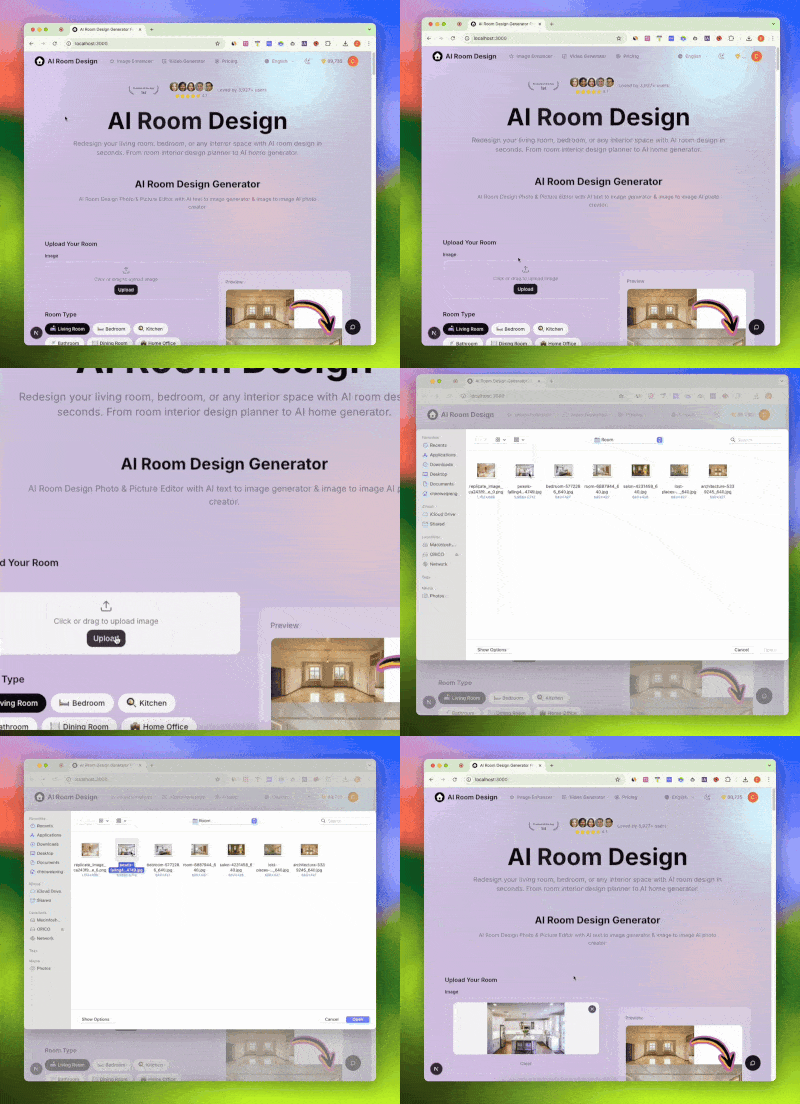
Upload a Clean Photo
Use a bright, wide image so AI virtual staging can design my room ideas with better layout accuracy.
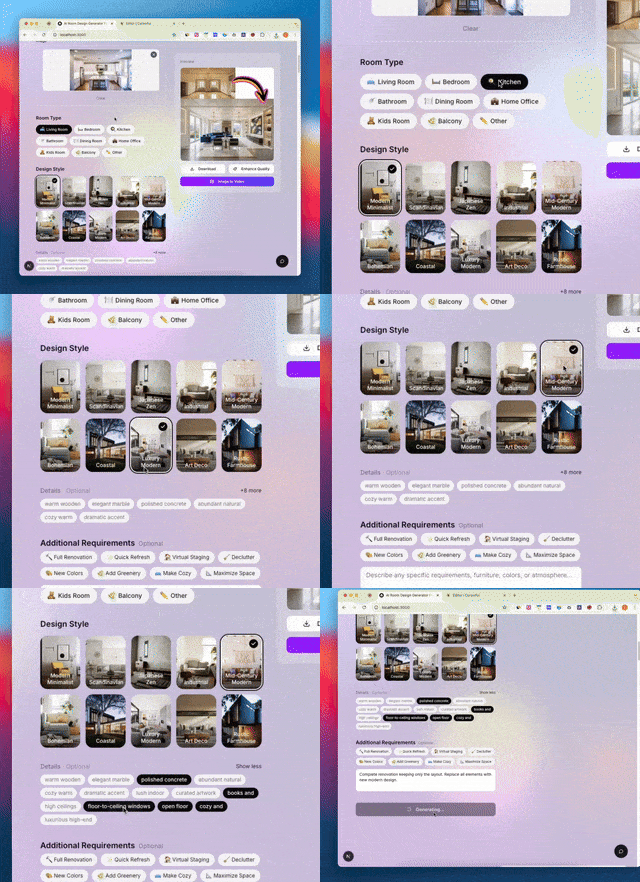
Select Style Goals
Set intent such as family-ready, investor-ready, or rental-friendly interior presentation.
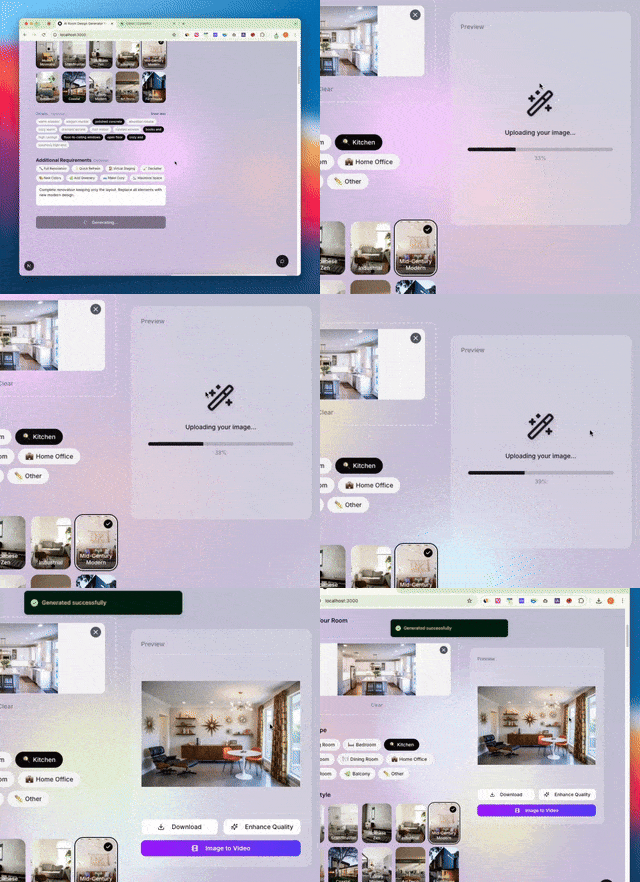
Generate Options
Create several AI virtual staging concepts to compare decor ai direction, furniture balance, and buyer appeal.
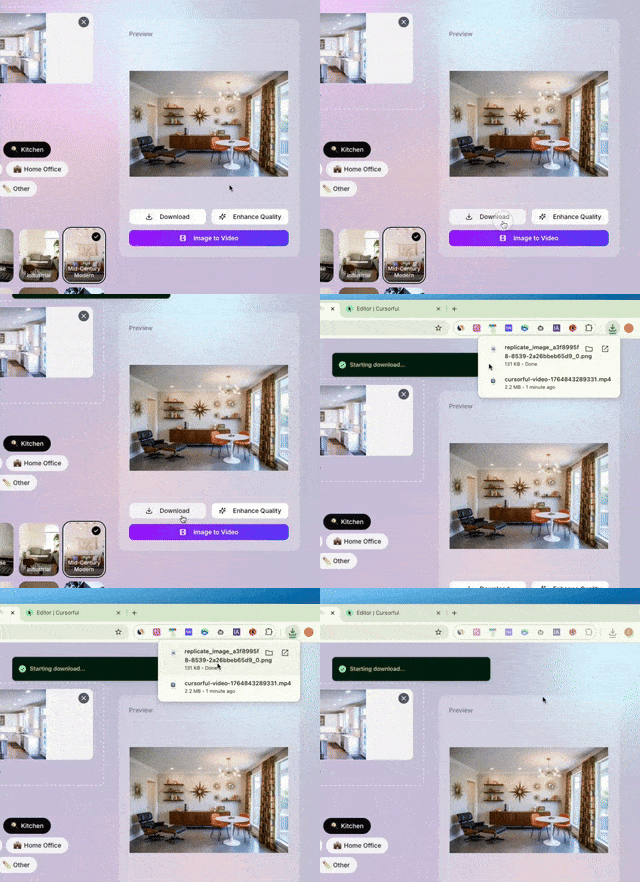
Publish with Disclosure
Export high resolution images and follow MLS policy. External source suggestion: local MLS and NAR disclosure guidance.
Why AI Virtual Staging Improves Listing Results
AI virtual staging helps agents launch polished campaigns faster with lower overhead than traditional setups.

Faster Launch with AI Virtual Staging
Move from empty room photo to virtual staging real estate assets in minutes, not days.

Lower Cost with AI Virtual Staging
Teams can test multiple looks in one pass, including virtual staging ai free trial workflows for early validation.

Clearer Decisions with AI Virtual Staging
Better previews reduce guesswork around room purpose, layout fit, and overall interior ai direction.
AI Virtual Staging Features for Teams
Everything needed to stage, compare, and publish listing visuals at scale.
Room Presets
Built in templates for living room, bedroom, studio, and flexible room interior design scenarios.
Style Controls
Apply design intent quickly, from modern minimal to family ready home ai concepts.
Prompt Guidance
Use short briefs from team notes to keep ai home design output consistent.
Inspiration Workflow
Map inspiration from comparable listings and design references into practical staging directions.
Variant Testing
Compare decor ai, room decor ai, and buyer segment themes in one repeatable workflow.
Export and Team Handoff
Share high quality outputs for campaigns, sales decks, and mobile app design review.
AI Virtual Staging by the Numbers
Simple benchmarks teams can track as they scale production.
4
Core Steps
Upload, set style, generate, publish
10+
Room Scenarios
From empty condo to family homes
20+
Style Variations
Options per listing photo set
24/7
On Demand Output
No physical staging schedule delays
Why Users Trust AI Virtual Staging
Feedback from agents, marketers, and investors using this workflow.
Avery M.
Residential Agent
AI virtual staging made empty rooms easier to understand online, so buyers asked better questions before tours.
Jordan K.
Listing Photographer
I can deliver fast visual options with AI virtual staging without moving physical furniture and keep property layout authentic.
Taylor R.
Brokerage Marketing Lead
The workflow helps us standardize staging quality across agents and improve campaign consistency.
Morgan S.
Property Investor
For quick turns, AI virtual staging helps present potential value before renovation decisions are finalized.
AI Virtual Staging FAQ for Real Estate
Practical answers for adoption, quality control, and compliance.
How does AI Virtual Staging compare to services?
AI virtual staging is usually faster and easier to iterate. Agencies may still help when you need custom art direction or enterprise process support. Compare turnaround time, revision volume, and brand consistency for thirty days before choosing one long term production model.
Can AI Virtual Staging be used as a free workflow?
Yes. Start with a limited plan or trial to validate demand, then scale paid usage once listing response improves. Use one bedroom, one living area, one entry level budget, and one premium target to measure inquiry quality and saved listing behavior.
How does AI Virtual Staging compare to other tools?
Those tools can be useful for inspiration and planning. Use AI virtual staging that best matches your listing speed, realism, and export needs. Keep comparisons fair by testing the same source photo, style brief, aspect ratio, and delivery size across each tool.
Can AI Virtual Staging help with room design ideas?
Yes. It is effective for ai for room design requests, ai to design room concepts, ai design my room searches, and fast design my room previews during listing prep. This works well during kickoff calls because teams can review multiple directions and quickly align on function, tone, and audience fit.
Can AI Virtual Staging improve room presentation?
Yes. It can generate balanced layouts that keep circulation and scale believable. Share one wide shot plus one entry angle so furniture depth, walking paths, and focal points are easier to evaluate during review.
Is AI Virtual Staging useful for interior design planning?
It helps teams test room interior design, room interior design ai concepts, and broader interior design direction before spending on physical setup. Design leads can check composition hierarchy, circulation logic, and material balance in one review session.
Can AI Virtual Staging support home design exploration?
Yes. Many teams use this as a practical layer above a free ai home design generator when they need listing grade visuals. It is useful for owners who want concept validation before renovation quotes, vendor scheduling, and budget approvals.
Should AI Virtual Staging be part of app workflow?
Yes, especially when your team uses a room design app or ai room design app for daily production. Internal link suggestion: compare ai room design app and planner templates. Use a consistent checklist for file naming, version history, and approval status to simplify collaboration.
Can AI Virtual Staging work with free design tools?
Yes. Free tools are good for ideation, then this tool can provide polished outputs needed for listing media. Many teams run a two phase process: broad exploration first, final production second, so experimentation stays fast without lowering launch quality.
Does AI Virtual Staging replace room planner products?
Not always. A planner helps layout drafting, while AI virtual staging focuses on marketing images buyers can quickly understand. Use both tools when you need early floor planning and later campaign ready visuals for online listing pages.
How does AI Virtual Staging help with decor concepts?
It helps compare decor direction in realistic scenes, so teams can choose a style faster and reduce subjective debates. Set clear style criteria such as color temperature, material mix, and accessory density to keep feedback objective during approvals.
Can AI Virtual Staging guide paint color choices?
Yes. Generate a few color and furniture combinations first, then shortlist paint options that match buyer demographics. Review daytime and evening versions to see how wall color interacts with flooring, cabinetry, trim, and natural light conditions.
Can AI Virtual Staging support laundry room layouts?
Yes. You can visualize storage zones, appliance clearance, and functional placement before committing to physical changes. Map daily chores first, then assign sections for supplies, folding, drying, and overflow storage to improve practical usability.
Can AI Virtual Staging content be reused with references?
Yes. Teams often align visual mood with retail references and social inspiration while keeping listing visuals property specific. Build reference boards with price bands, finish tags, and material notes so everyone understands the target look before production.
How can AI Virtual Staging pair with design workflows?
Use briefs for drafting, apply design intent in prompts, and compare outputs with style checks for faster approvals. Keep a shared prompt library by room type and audience segment so future campaigns start from proven directions.
Why does AI Virtual Staging matter for design teams?
Consistent imagery improves clarity across listing pages, ad creatives, and app screens where fast visual understanding drives clicks. This makes browsing smoother, reduces confusion on small displays, and improves confidence during early property evaluation.
What checks are required before publishing AI Virtual Staging?
Verify realism, keep permanent features truthful, and add disclosure. Run one final pass for perspective errors, duplicate objects, odd reflections, and overlay conflicts. External source suggestion: local MLS policy and NAR best practices, plus brokerage legal review standards.
Start Your AI Virtual Staging Workflow
Upload one room photo and create listing ready visuals in minutes.